Learn how to invite colleagues from your organization to collaborate on a deal by adding them to the deal team.
Getting Started
Navigate to the Deal
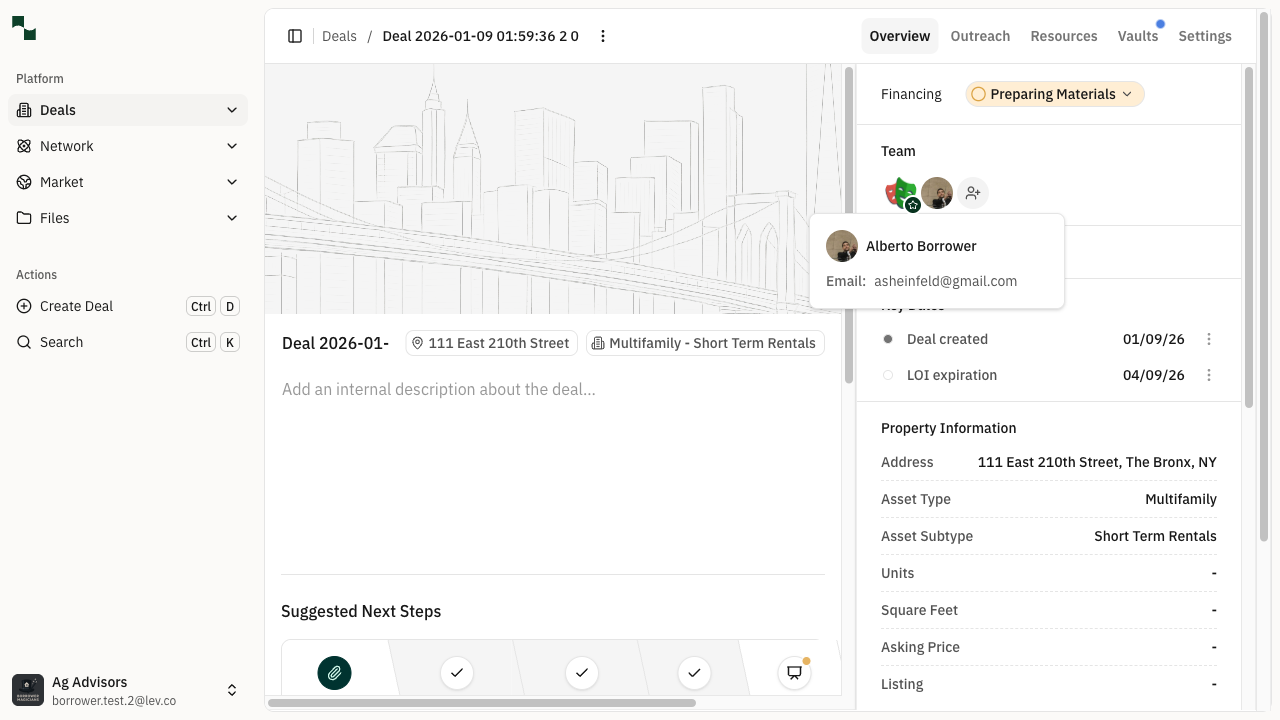
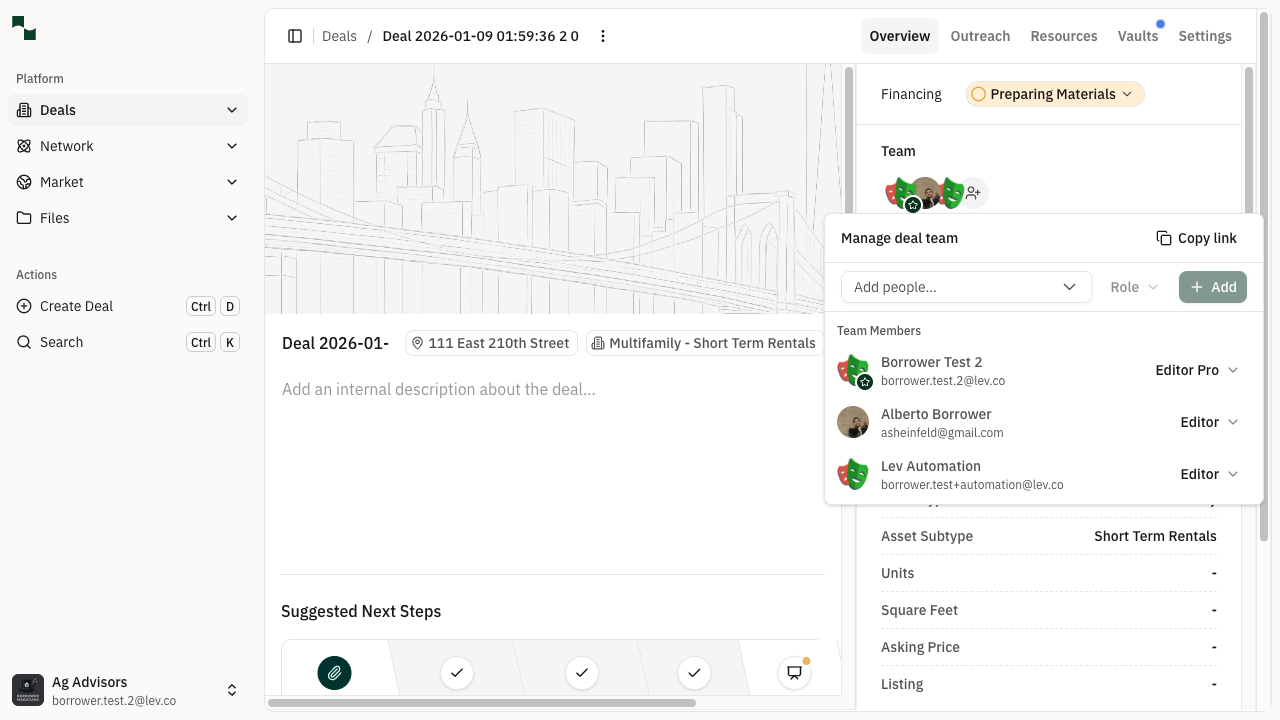
Open the deal you want to add team members to. From the deal overview page, locate the Team section in the right sidebar. This section shows the current team members who have access to this deal.
Location: Deal Overview → Team Section
Managing the Team
Open the Manage Team Panel
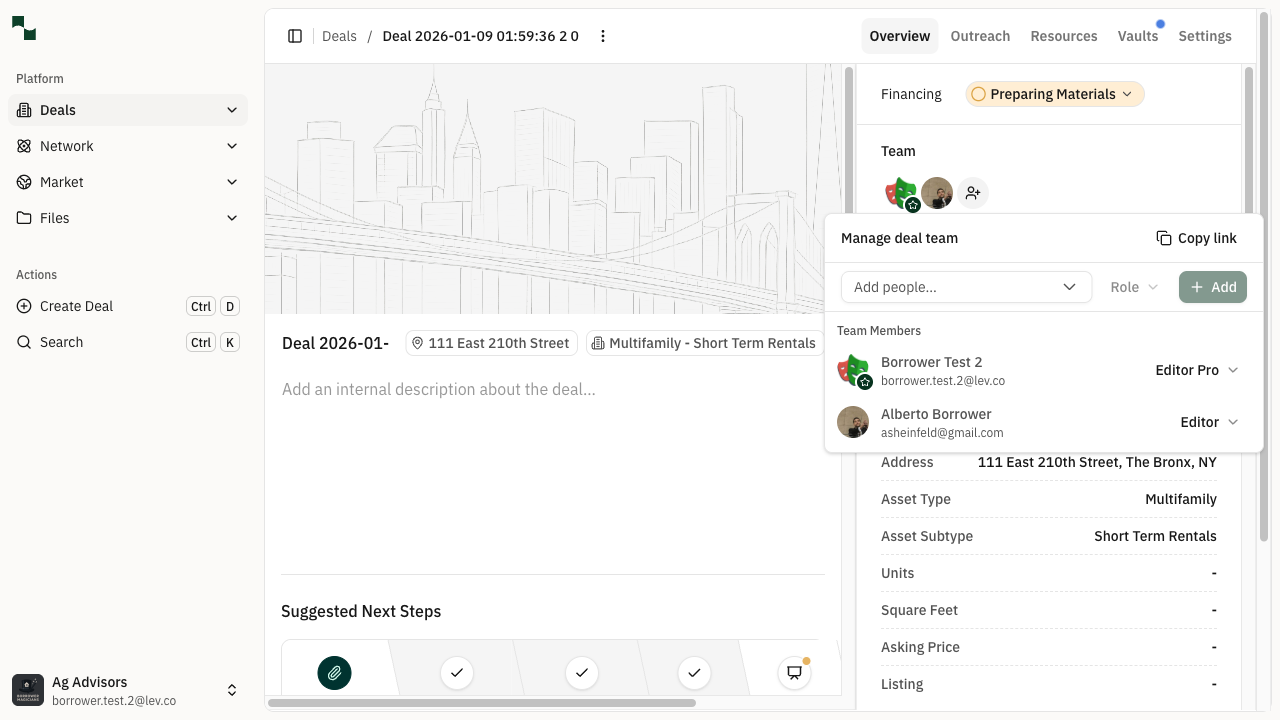
Click the Manage team button (the person icon with a gear) in the Team section. This opens the "Manage deal team" panel where you can view existing team members and add new ones.
The panel displays:
- Add people... dropdown - Search and select team members to add
- Role dropdown - Set the permission level for new members
- Team Members list - Shows everyone currently on the deal team
Select a Team Member
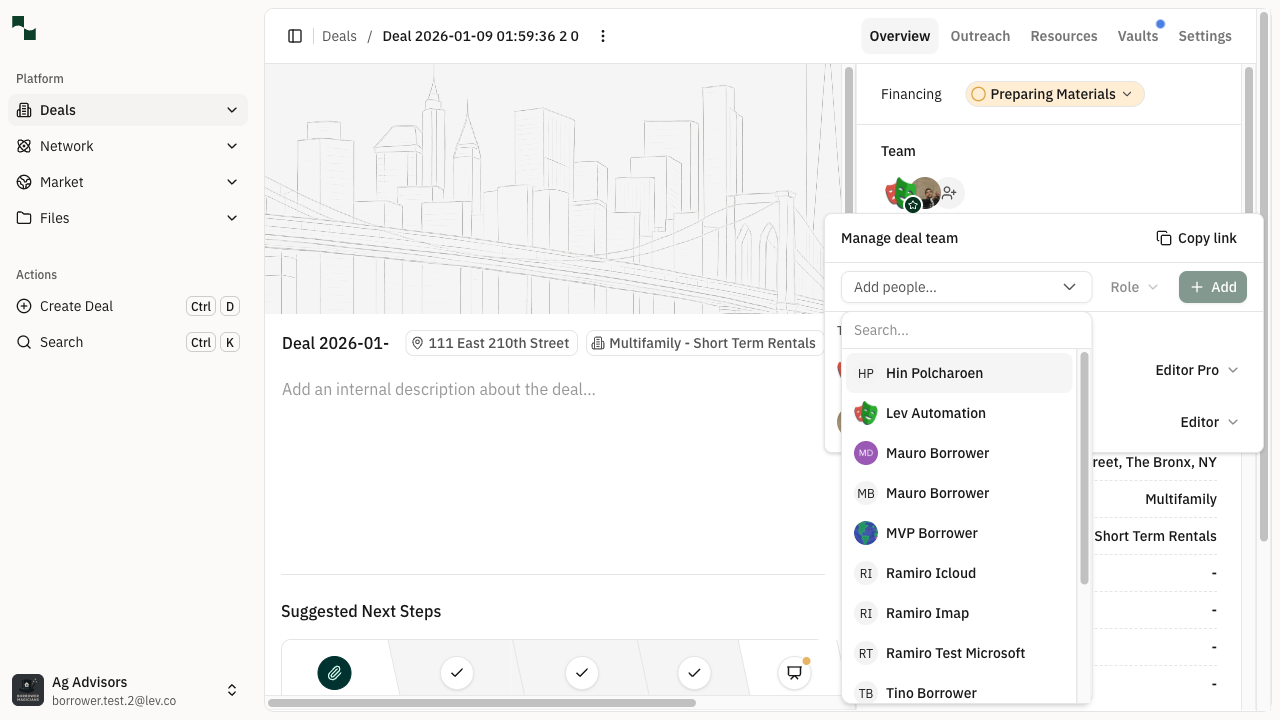
Click the Add people... dropdown to see a list of colleagues from your organization who can be added to the deal. The dropdown shows:
- Available team members you can add
- Members already on the team (grayed out and labeled "Already on the team")
Click on a team member's name to select them. You can also use the search box to filter the list.
Add the Team Member
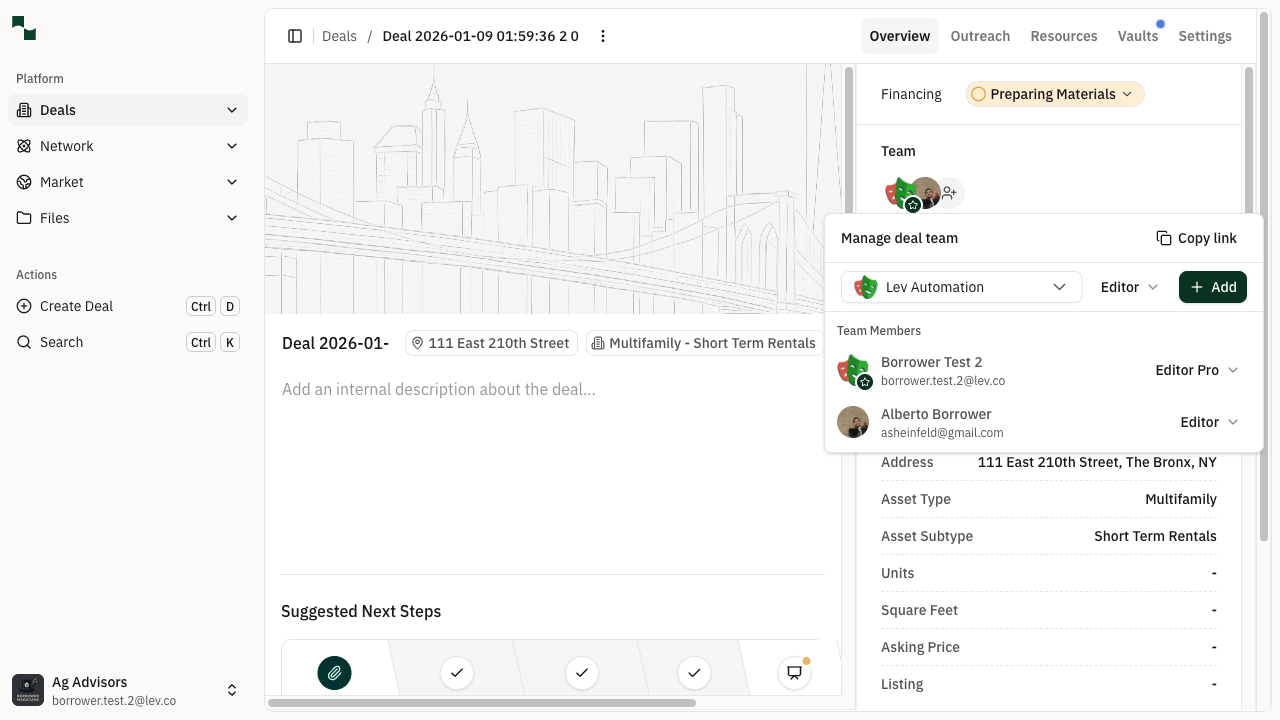
After selecting a team member, they will appear in the dropdown field. The Role dropdown defaults to "Editor" which gives them permission to view and edit the deal. You can change this if needed.
Available roles:
- Viewer - Can view deal information but cannot make changes
- Editor - Can view and edit deal information
- Editor Pro - Full editing access with additional capabilities
Click the + Add button to add the team member to the deal.
Verify the Addition
The new team member will now appear in the Team Members list with their assigned role. A success notification confirms the addition.
The team member will now be able to access this deal based on their assigned permissions. They may also receive an email notification about being added to the deal.
You're All Set!
- You've successfully added a team member to the deal
- The team member can now access and collaborate on this deal
- You can add more team members or change roles at any time