Before You Begin
- Access to the Lev Borrower or Broker Portal
- The property address you're financing
- Financial details ready: Purchase price, Current occupancy rate, Net Operating Income (NOI), PSA/LOI expiration date (if applicable)
- Your recourse preferences determined
Steps
Start a New Deal
From your dashboard, begin the deal creation process.
Where to find it: Dashboard → Click Create Deal (or press Ctrl+D)
 1Create Deal2+ New Deal
The Lev dashboard showing two ways to create a deal: (1) sidebar button or (2) header button
The Create Deal dialog opens.
 1Enter address here
Create Deal modal with address search field
Enter the Property Address
Search for and select your property.
- In the Deal name or address field, start typing the property address
- Select the correct address from the dropdown suggestions
 1Type address here2Select from dropdown3Create Deal
Address autocomplete showing suggestions as you type
- The address will appear as a button confirming your selection
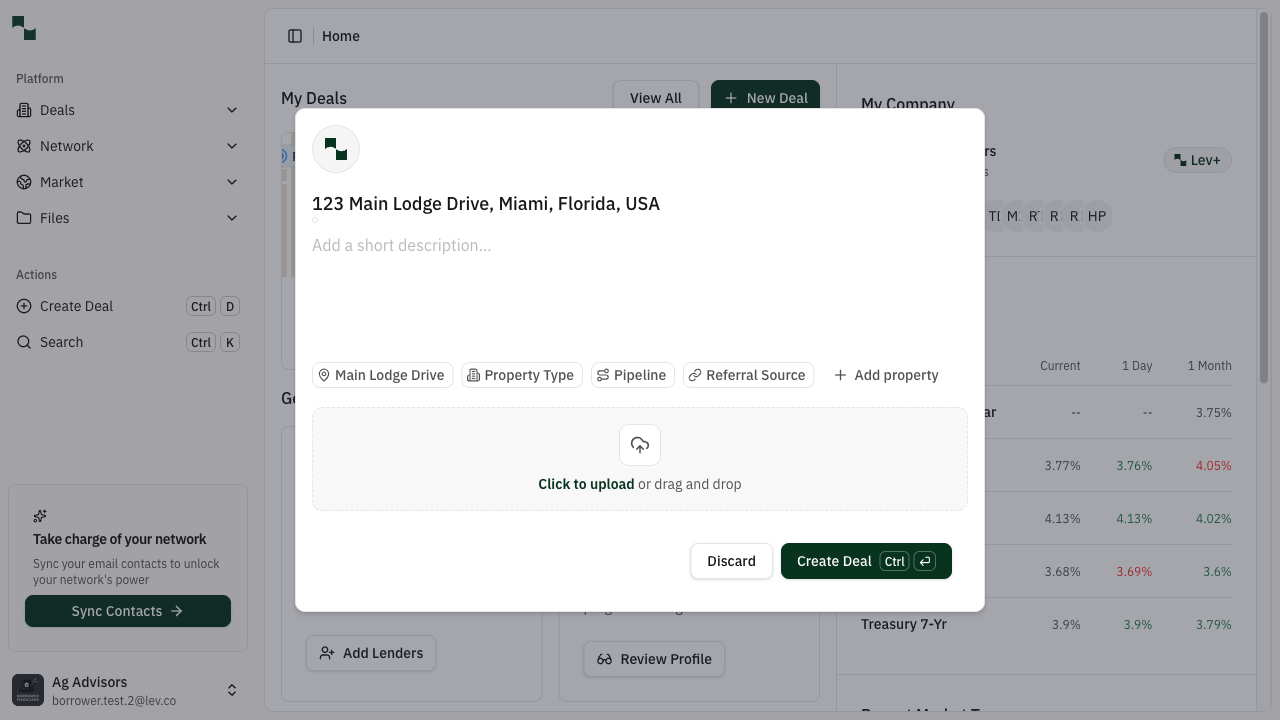
Selected address displayed as a confirmation chip
| Field | Description | Example |
|---|---|---|
| Deal name or address | Street address of the property | 123 Main Lodge Drive, Miami, FL |
Click Create Deal to continue.
 1Suggested Next Steps2Property Info
New deal overview showing Suggested Next Steps and Property Information panel
Complete Basic Deal Information
Click the Complete Basic Deal Information button to open the deal information wizard.
 1Single Property2Asset Type3Save & Next
Basic Deal Information wizard - Step 1: Property Information
Part A: Property Information
Fill in the property details:
| Field | Description | Example |
|---|---|---|
| Property Type | Single Property or Portfolio | Single Property |
| Asset Type | Type of real estate | Multifamily |
| Asset Subtype | Specific property category | Residential Condo |
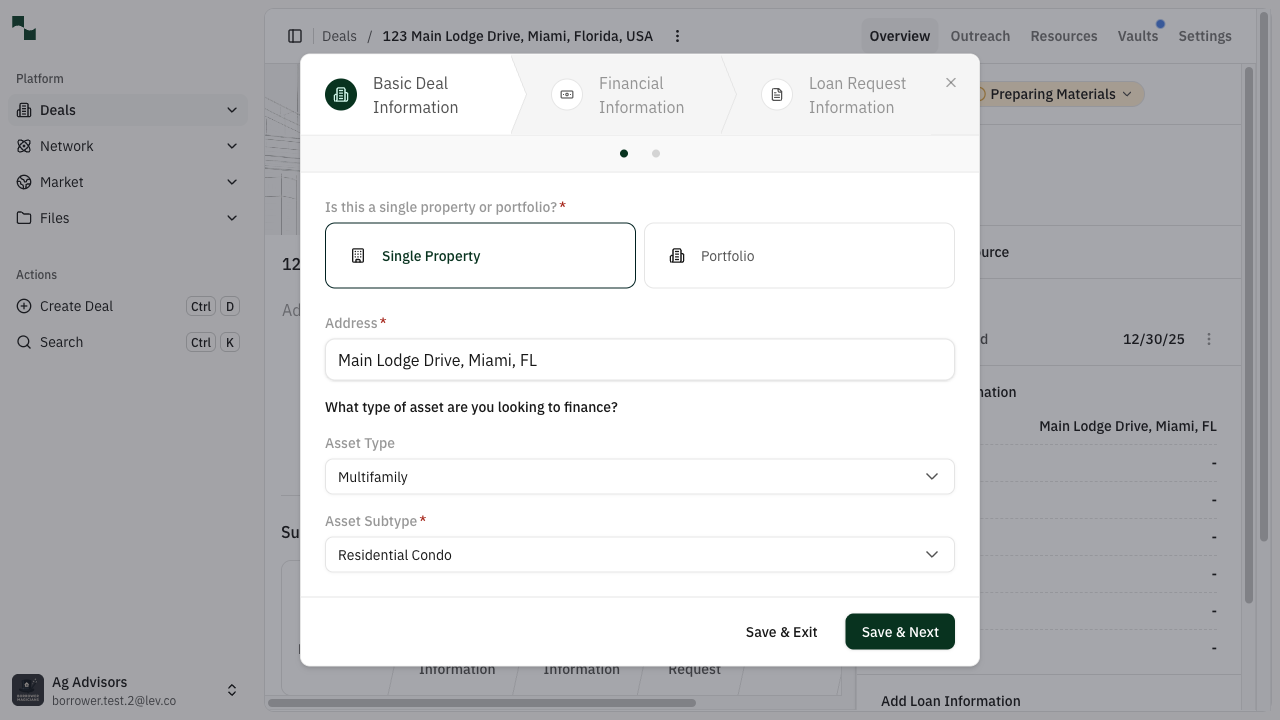
Property information completed with Multifamily - Residential Condo
Click Save & Next to continue.
Part B: Loan Type Selection
Select your loan structure:
 1Permanent2Acquisition3First Mortgage
Loan type selection - choose loan type, transaction type, and position
| Selection | Description |
|---|---|
| Transaction Type | Choose Acquisition for a purchase |
| Loan Type | Choose Permanent for long-term financing |
| Loan Position | Choose First Mortgage Loan for senior debt |
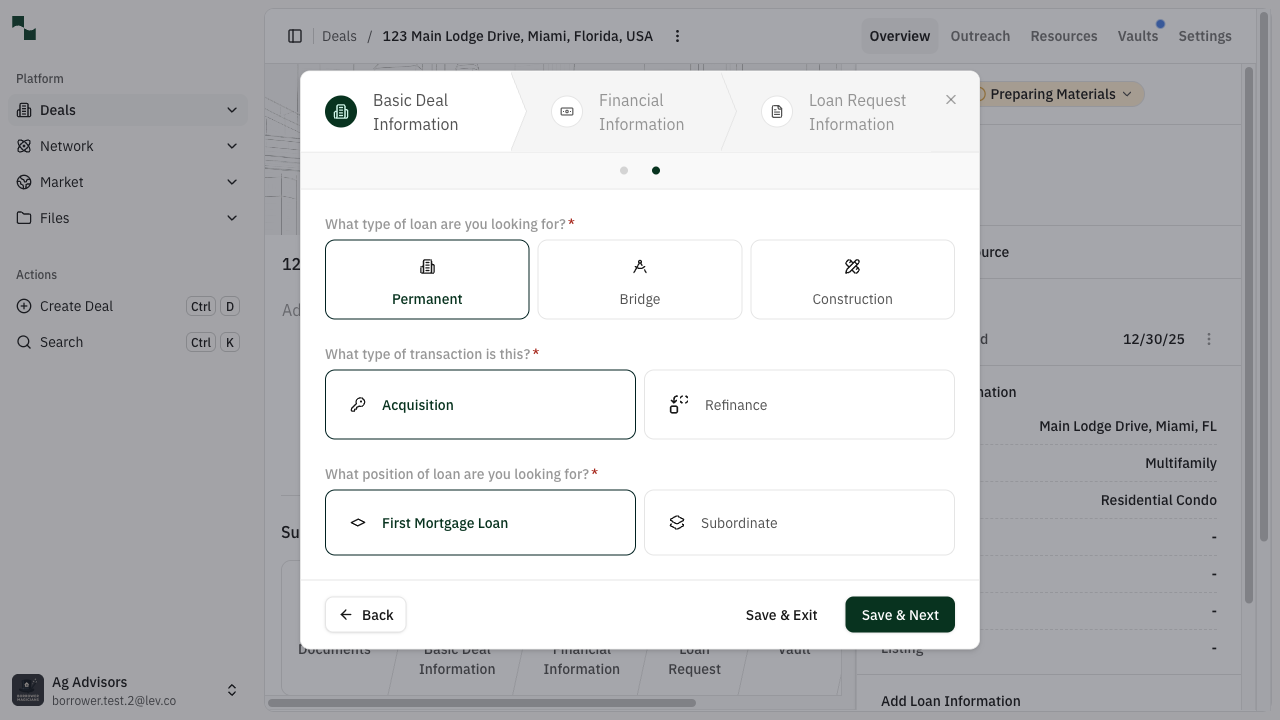
Loan type completed: Permanent Acquisition First Mortgage
Click Save & Next to continue.
Enter Financial Information
Provide the financial details for your deal.
 1Purchase Price2PSA Date3Occupancy %4NOI5Equity committed?
Financial information form - fill in all required fields
| Field | Required | Description | Example |
|---|---|---|---|
| Purchase Price | Yes | Total acquisition cost | $3,000,000 |
| In Place Occupancy | Yes | Current occupancy percentage | 70% |
| NOI | Yes | Annual Net Operating Income | $90,000 |
| PSA/LOI Expiration Date | Conditional | Contract expiration date | 3 months from today |
| No Signed PSA/LOI | Conditional | Check if no contract yet | Checked |
| Required Equity Committed | Yes | Confirm equity is available | Yes |
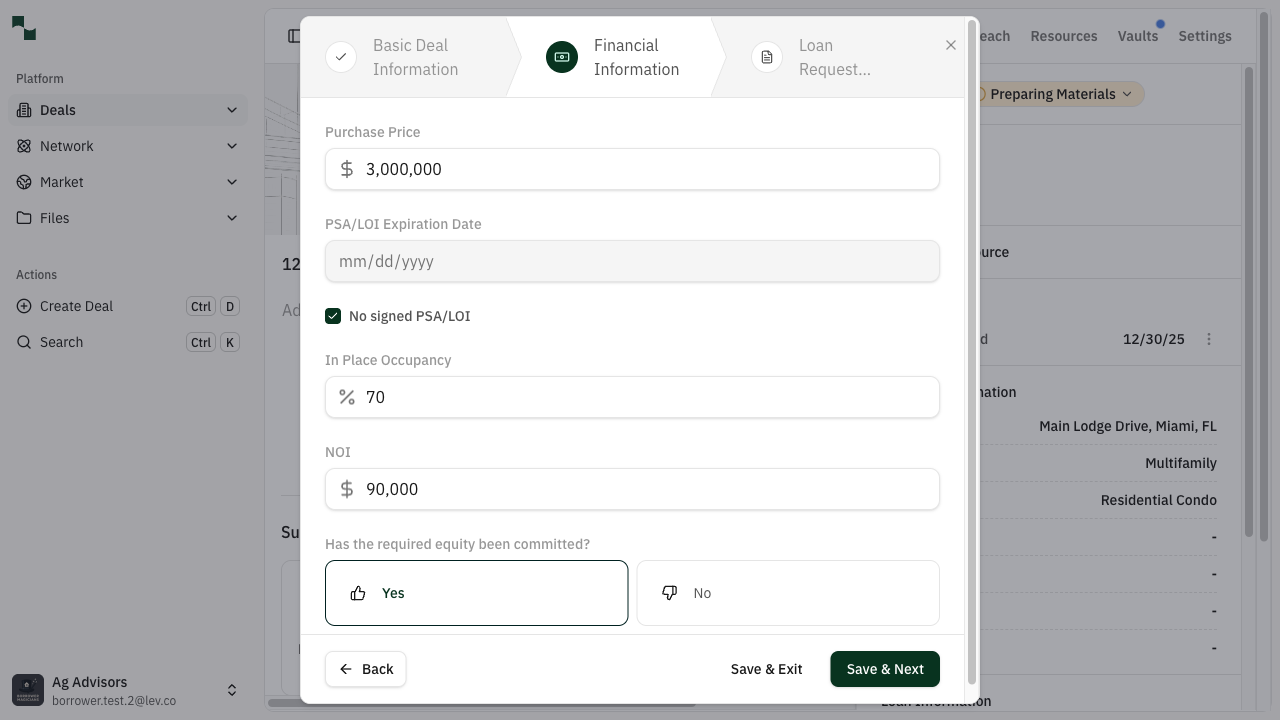
Financial information completed: $3M purchase, 70% occupancy, $90K NOI
Click Save & Next to continue.
Set Loan Request Preferences
Configure your financing preferences.
Recourse Selection
Choose your recourse structure:
 1Personal Recourse2Fund Recourse3No Recourse4Recourse Level
Recourse selection: Choose your guarantee structure
| Option | Description |
|---|---|
| Personal Recourse | Borrower personally guarantees the loan |
| Fund Recourse | Fund/entity provides the guarantee |
| No Recourse | No personal guarantee required |
If you selected Personal or Fund Recourse, choose the recourse level:
- Full – 100% guarantee
- Partial – Percentage guarantee
- Burn off – Guarantee reduces over time
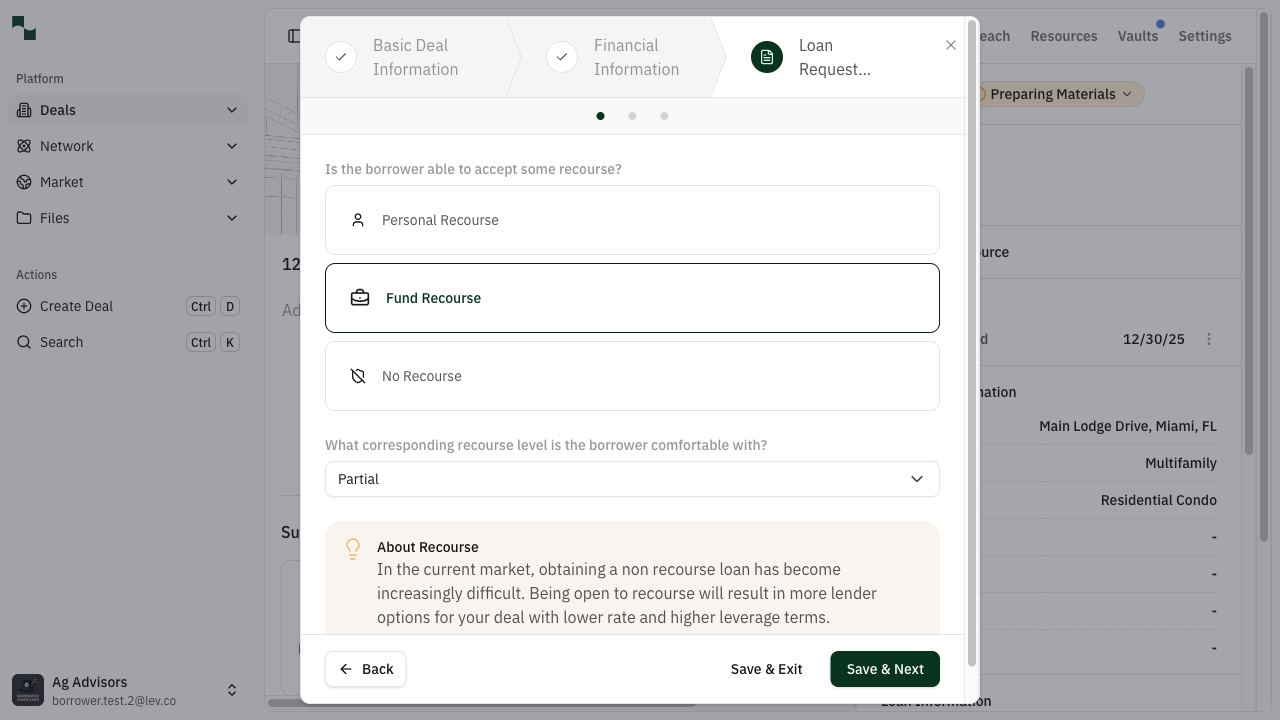
Fund Recourse with Partial level selected
Click Save & Next to continue.
Capital Stack
Enter your leverage target:
 1Loan Amount2LTV %3Summary
Target Capital Stack form - enter loan amount or LTV
| Field | Description | Example |
|---|---|---|
| Loan Request LTV | Target Loan-to-Value ratio | 75% |
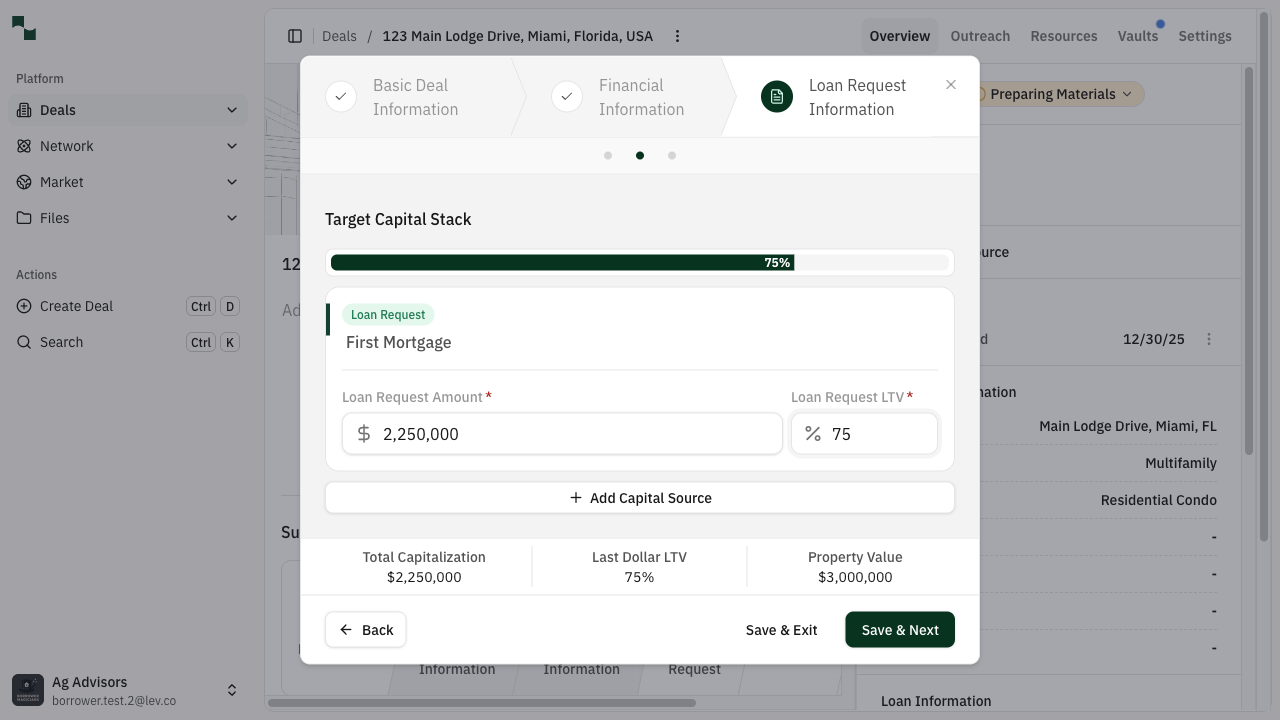
Capital stack completed: 75% LTV = $2,250,000 loan amount
Click Save & Next to continue.
Review Sizing Results
The platform analyzes your deal against market conditions. If any warnings appear:
 1Loan Summary2DSCR Warning3Fix It4Fix Manually5Ignore
Sizing analysis showing DSCR warning with resolution options
- Click Ignore to proceed anyway, or
- Click Fix It to let the system adjust your parameters, or
- Click Fix Manually to adjust the values yourself
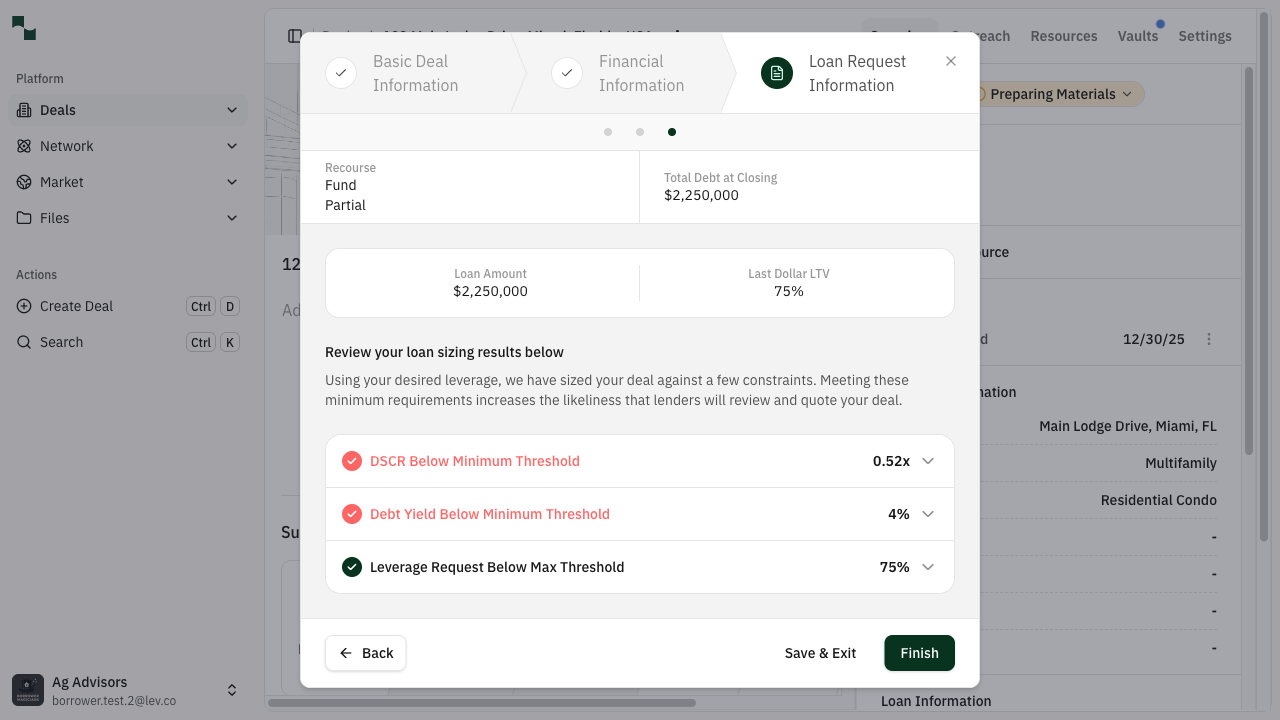
All sizing checks resolved - ready to finish
Click Finish when complete.
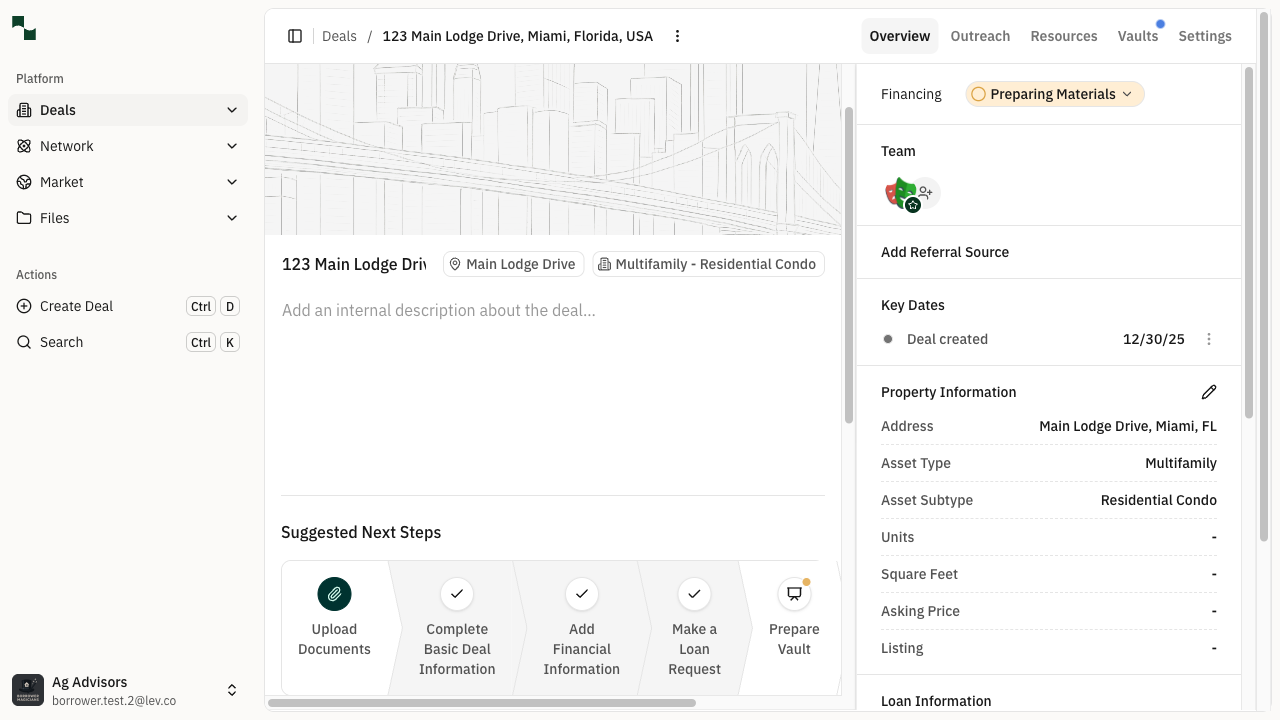
Deal overview with Basic Deal Info, Financial Info, and Loan Request complete
Select Lenders
Now choose which lenders should receive your deal.
- Navigate to the Outreach tab
- Click Add Lenders or Get matched with lenders
- Review the suggested lenders based on your deal criteria
- Select the lenders you want to contact
- Confirm your selection
Launch Your Deal
Send your deal to the selected lenders.
- Return to the Overview tab
- Click Launch This Deal
- Review your outreach message
- Click Send to launch immediately, or
- Use the dropdown to schedule for later (9:00 AM, 12:00 PM, or custom time)
What You've Accomplished
- Created a new acquisition permanent loan deal
- Entered all required property and financial information
- Set your loan preferences and recourse structure
- Selected and contacted lenders
- Your deal is now live and lenders can review and respond