Access and preview deal documents shared with you through Lev's secure Deal Room vault.
Accessing the Deal Room
Open the vault link
When a borrower shares documents with you through Lev, you'll receive an email containing a secure link to their Deal Room vault. Click the View Vault link in the email to access the shared documents.
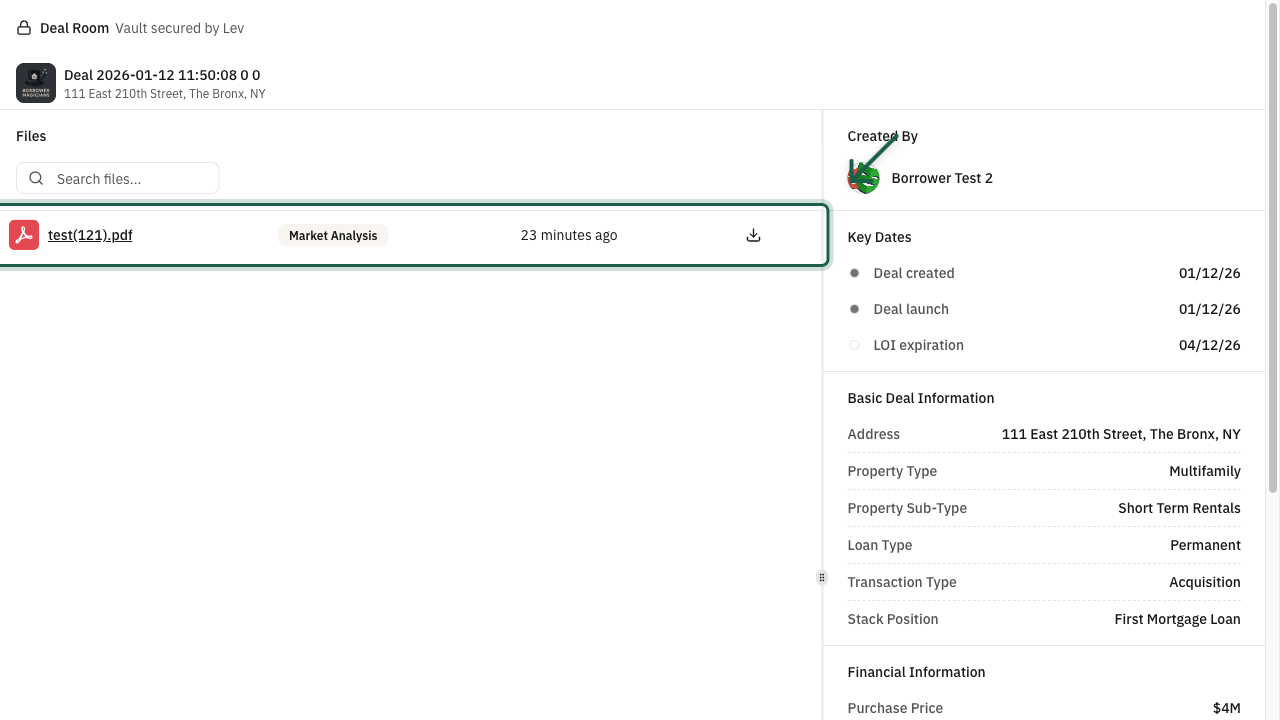
The Deal Room page displays:
- Files section - All documents the borrower has shared with you
- Deal information - Key dates, property details, financial information, and loan request details
- Created By - The borrower who shared the vault
Secure Access
The Deal Room link contains a unique access token that grants you permission to view the shared documents. This link is specific to you and should not be shared with others.
Preview documents
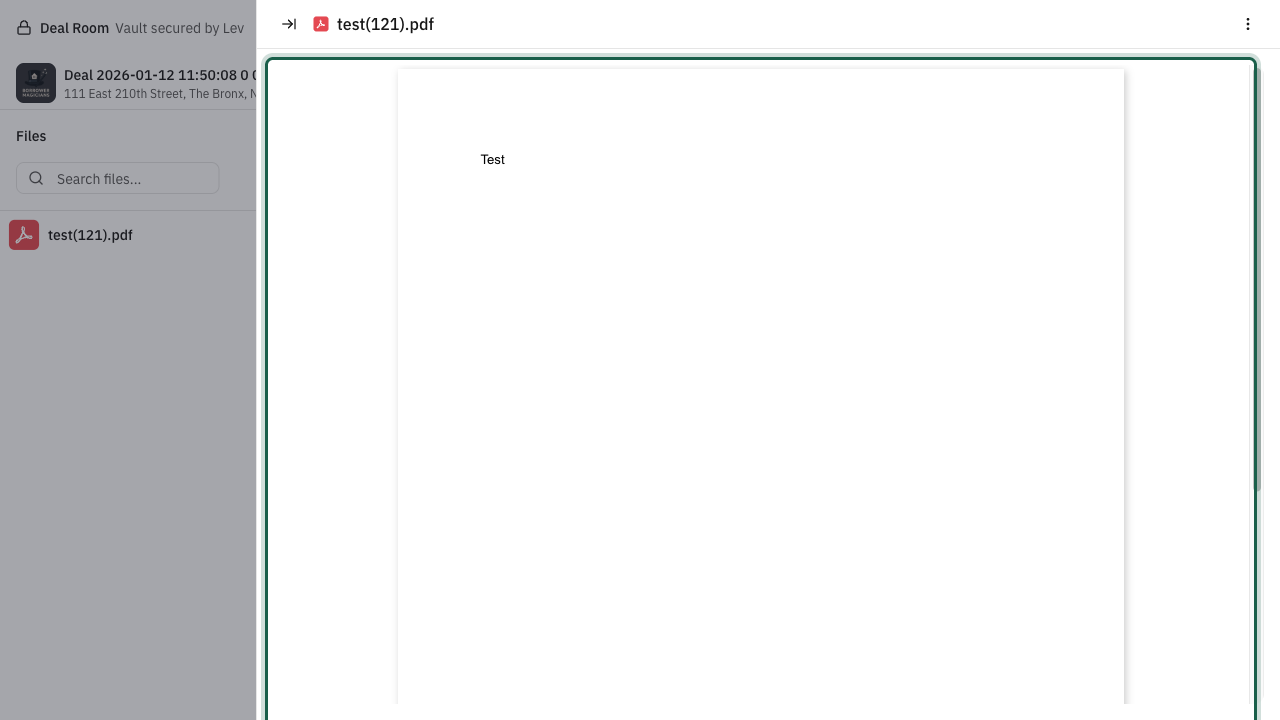
Click on any document in the Files section to open it in the built-in document viewer. The viewer supports various file types including PDFs, images, and common office documents.
While viewing a document, you can:
Action: Click on a document name → Document preview opens
- Zoom in/out - Use the zoom controls to adjust the view
- Download - Click the download button to save a copy
- Close - Click the close button or outside the viewer to return to the vault
You're all set!
- You've accessed the borrower's Deal Room vault
- You can view all shared documents directly in your browser
- Download any documents you need for your review
- Deal information is available in the sidebar for quick reference